
Integration of AI for Automated Workplace Workflow
A LoneStar Tech Solutions Story

Integration of AI for Automated Workplace Workflow
The integration of Artificial Intelligence (AI) into workplace workflows represents one of the most significant technological shifts since the advent of the internet. As AI technologies mature and become more accessible, businesses of all sizes are discovering how intelligent automation can transform operations, reduce costs, and create competitive advantages.
Understanding AI-Driven Workflow Automation
AI-driven workflow automation goes far beyond simple task automation. While traditional automation follows predefined rules and processes, AI brings:
Cognitive Capabilities
- Learning: AI systems improve performance over time through machine learning
- Adaptation: Dynamic adjustment to changing conditions and inputs
- Decision-making: Intelligent choices based on data analysis and pattern recognition
- Natural language understanding: Ability to process and respond to human communication
Key Differentiators
Traditional automation handles repetitive, rule-based tasks. AI automation can:
- Process unstructured data (emails, documents, images)
- Make context-aware decisions
- Handle exceptions and edge cases
- Improve continuously through feedback loops
- Work with ambiguous or incomplete information
The Business Case for AI Automation
Quantifiable Benefits
Efficiency Gains
- 40-70% reduction in processing time for routine tasks
- 24/7 operation without fatigue or breaks
- Parallel processing of multiple tasks simultaneously
- Faster response times to customer inquiries
Cost Reduction
- Decreased labor costs for repetitive tasks
- Reduced error rates and associated correction costs
- Lower training expenses for routine processes
- Minimized operational overhead
Quality Improvement
- Consistent application of rules and policies
- Elimination of human error in data processing
- Enhanced compliance and audit trails
- Standardized outputs and deliverables
Strategic Advantages
Scalability Organizations can handle increased workloads without proportional increases in headcount or infrastructure.
Employee Satisfaction By automating mundane tasks, employees can focus on:
- Creative problem-solving
- Strategic initiatives
- Customer relationship building
- High-value activities requiring human judgment
Competitive Edge
- Faster time-to-market for products and services
- Superior customer experiences through rapid response
- Data-driven decision-making capabilities
- Agility in responding to market changes
Real-World Applications Across Departments
Finance and Accounting
Invoice Processing AI can:
- Extract data from invoices automatically (OCR + NLP)
- Match invoices to purchase orders
- Flag discrepancies for review
- Route for appropriate approvals
- Process payments automatically
Financial Reporting
- Automated data aggregation from multiple sources
- Real-time financial dashboards
- Anomaly detection in financial data
- Predictive cash flow analysis
Expense Management
- Receipt scanning and categorization
- Policy compliance checking
- Automatic approval routing
- Integration with accounting systems
Human Resources
Recruitment
- Resume screening and candidate ranking
- Interview scheduling coordination
- Automated communication with candidates
- Background check coordination
Onboarding
- Automated workflow for new hire paperwork
- Equipment and access provisioning
- Training schedule coordination
- Progress tracking and reminders
Employee Support
- AI chatbots for HR policy questions
- Benefits enrollment assistance
- Time-off request processing
- Performance review workflow management
Customer Service
First-Line Support
- AI chatbots handling common inquiries
- Intelligent ticket routing to appropriate teams
- Automated response to frequently asked questions
- Escalation management for complex issues
Customer Communications
- Personalized email responses
- Proactive outreach based on customer behavior
- Sentiment analysis of customer feedback
- Multi-channel communication management
Sales and Marketing
Lead Management
- Lead scoring and qualification
- Automated nurture campaigns
- CRM data enrichment
- Sales activity tracking and reporting
Content Generation
- Personalized email campaigns
- Social media post scheduling
- Customer segmentation
- Campaign performance analysis
IT Operations
Incident Management
- Automated ticket creation and categorization
- Intelligent routing to appropriate teams
- Automated resolution of common issues
- Predictive maintenance alerts
System Monitoring
- Continuous performance monitoring
- Anomaly detection
- Automated remediation of common issues
- Capacity planning and optimization
AI Technologies Powering Workflow Automation
Natural Language Processing (NLP)
Enables machines to understand, interpret, and generate human language:
- Email classification and routing
- Chatbot conversations
- Document summarization
- Sentiment analysis
Machine Learning (ML)
Algorithms that improve through experience:
- Predictive analytics
- Pattern recognition
- Recommendation systems
- Fraud detection
Computer Vision
Processing and analyzing visual information:
- Document processing (OCR)
- Quality control inspection
- Inventory management
- Security and access control
Robotic Process Automation (RPA)
Software robots that interact with applications:
- Data entry and migration
- Report generation
- System integration
- Scheduled task execution
Intelligent Document Processing (IDP)
Advanced document handling combining multiple AI technologies:
- Invoice and contract processing
- Form extraction
- Document classification
- Data validation
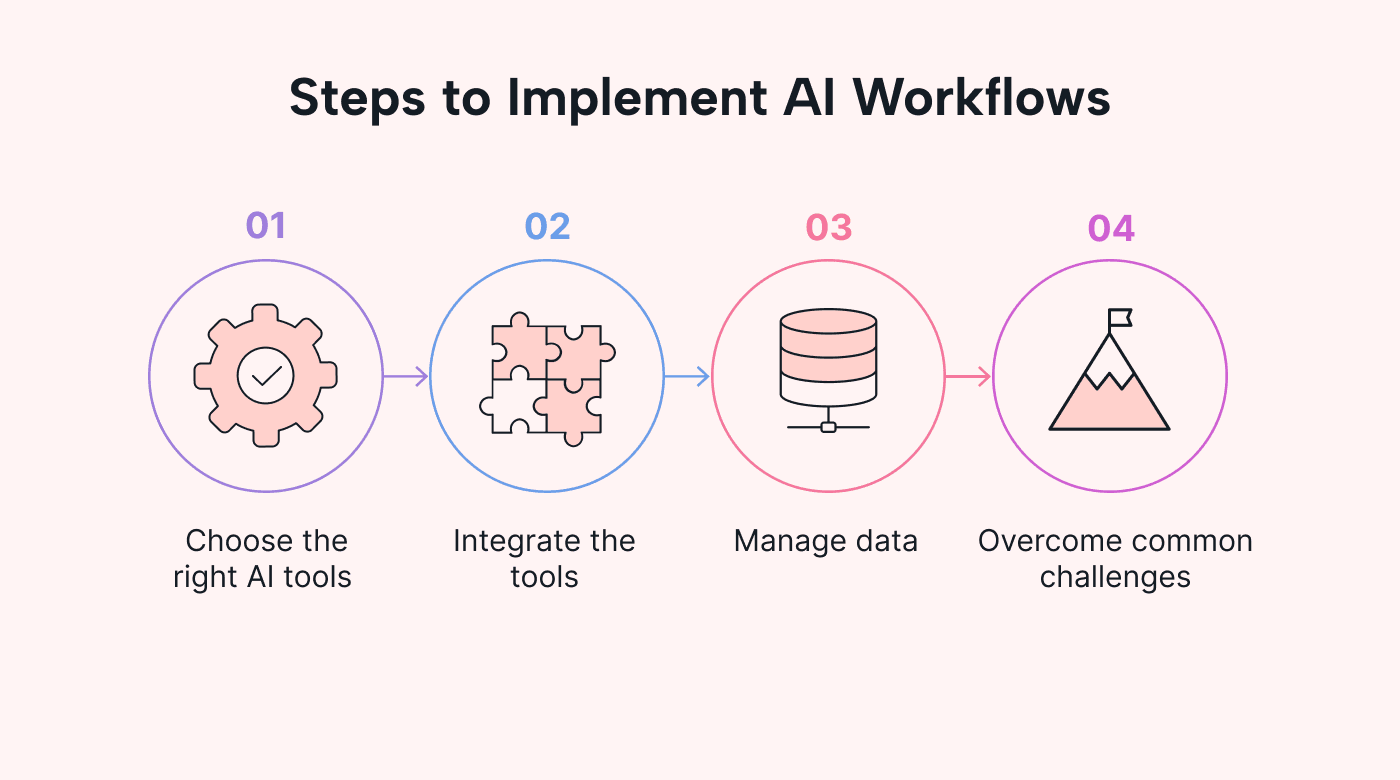
Implementation Strategy
Phase 1: Assessment and Planning
Process Discovery
- Map current workflows
- Identify automation opportunities
- Calculate potential ROI
- Prioritize based on impact and feasibility
Technology Selection
- Evaluate AI platforms and tools
- Consider integration requirements
- Assess scalability needs
- Review security and compliance requirements
Phase 2: Pilot Implementation
Start Small
- Choose a well-defined, high-impact process
- Set clear success metrics
- Assemble cross-functional team
- Plan for iterative improvement
Build Proof of Concept
- Develop minimum viable automation
- Test with real data and users
- Gather feedback
- Measure against success criteria
Phase 3: Scaling
Expand Gradually
- Roll out successful automations more broadly
- Identify additional automation opportunities
- Standardize implementation approaches
- Build internal expertise
Optimize Continuously
- Monitor performance metrics
- Gather user feedback
- Refine AI models
- Expand capabilities
Challenges and Considerations
Data Quality and Availability
AI systems require quality data to function effectively:
- Challenge: Incomplete, inconsistent, or inaccurate data
- Solution: Implement data governance and quality programs
Change Management
Employee resistance can derail automation initiatives:
- Challenge: Fear of job displacement, reluctance to adopt new tools
- Solution: Clear communication, training, emphasis on augmentation vs. replacement
Integration Complexity
Connecting AI tools with existing systems:
- Challenge: Legacy systems, disparate platforms
- Solution: API-first approach, middleware solutions, phased integration
Governance and Compliance
Ensuring AI systems operate within regulatory and ethical boundaries:
- Challenge: Bias in AI models, regulatory compliance, audit trails
- Solution: Governance frameworks, regular audits, explainable AI
Skills Gap
Finding talent to implement and maintain AI systems:
- Challenge: Shortage of AI/ML expertise
- Solution: Partnerships with MSSPs, training programs, managed services
Best Practices for Successful AI Integration
1. Start with Business Outcomes
Focus on solving real business problems rather than implementing technology for its own sake.
2. Ensure Data Readiness
Invest in data quality, governance, and infrastructure before deploying AI solutions.
3. Prioritize User Experience
Design automation that enhances rather than hinders employee workflows.
4. Build for Transparency
Implement explainable AI systems where stakeholders can understand how decisions are made.
5. Plan for Continuous Improvement
AI systems should evolve based on feedback, new data, and changing business needs.
6. Address Security and Privacy
Build security and privacy considerations into automation from the beginning.
7. Measure and Communicate Success
Track metrics, demonstrate ROI, and share successes to build organizational support.
The Role of AI Agents
Modern AI automation increasingly relies on autonomous AI agents that can:
Understand Context
- Interpret natural language instructions
- Recognize the intent behind requests
- Consider historical context and patterns
Make Decisions
- Evaluate multiple options
- Apply business rules and policies
- Escalate when appropriate
- Learn from outcomes
Execute Actions
- Interact with multiple systems
- Coordinate complex multi-step processes
- Handle exceptions intelligently
- Provide status updates
Examples:
- An AI agent that monitors inbox, categorizes emails, drafts responses, and handles routine inquiries autonomously
- An agent that monitors system logs, detects anomalies, investigates root causes, and implements fixes
- An agent that tracks project deadlines, sends reminders, schedules meetings, and updates documentation
Industry-Specific Applications
Healthcare
- Patient appointment scheduling
- Medical record processing
- Insurance claim automation
- Medication management
Legal
- Contract review and analysis
- Legal research assistance
- Document discovery
- Compliance monitoring
Manufacturing
- Predictive maintenance
- Quality control
- Supply chain optimization
- Inventory management
Retail
- Inventory forecasting
- Dynamic pricing
- Customer service automation
- Personalized recommendations
Measuring Success
Key Performance Indicators
Efficiency Metrics
- Time saved per process
- Volume of transactions processed
- Error rates
- Cycle time reduction
Financial Metrics
- ROI of automation investments
- Cost per transaction
- Labor cost savings
- Revenue impact
Quality Metrics
- Accuracy rates
- Customer satisfaction scores
- Compliance adherence
- Error reduction percentage
Adoption Metrics
- User engagement with AI tools
- Number of processes automated
- Percentage of transactions handled autonomously
The Future of AI Workflow Automation
Emerging Trends
Generative AI Tools like GPT-4 and similar models enabling:
- Advanced content creation
- Code generation
- Complex problem-solving
- Creative applications
Agentic AI More autonomous systems that can:
- Set their own goals
- Plan multi-step strategies
- Collaborate with other AI agents
- Adapt to novel situations
Multimodal AI Systems that can process multiple types of input:
- Text, images, audio, and video
- Richer context understanding
- More natural interactions
Edge AI Processing at the edge for:
- Reduced latency
- Enhanced privacy
- Offline operation
- Lower bandwidth requirements
Conclusion
AI-driven workflow automation is no longer a futuristic concept—it's a present-day reality delivering measurable value across industries. Organizations that embrace this technology thoughtfully, starting with clear business objectives and a commitment to continuous improvement, position themselves for sustainable competitive advantage.
The key to success lies not in wholesale replacement of human workers but in intelligent augmentation—using AI to handle routine tasks while empowering employees to focus on work that requires creativity, empathy, and strategic thinking.
As AI technologies continue to advance, the gap between early adopters and laggards will widen. The question for business leaders is not whether to adopt AI automation, but how quickly and effectively they can integrate it into their operations.
Ready to transform your workflows with AI? LoneStar Tech Solutions LLC specializes in designing and implementing AI-driven automation solutions tailored to your business needs. Contact us to explore how intelligent automation can revolutionize your operations.